Reviewed October 30, 2026
Hide From The Hulk Controls: PC, Mobile & Controller
Read the actual Captain America, Hulk and Iron Man action bars and understand role-specific inputs.
What to do first
Use your active role’s displayed prompts. Keyboard actions differ between Hulk and heroes, and mobile uses an on-screen ability cluster.
§PC inputs visible in the reviewed build#
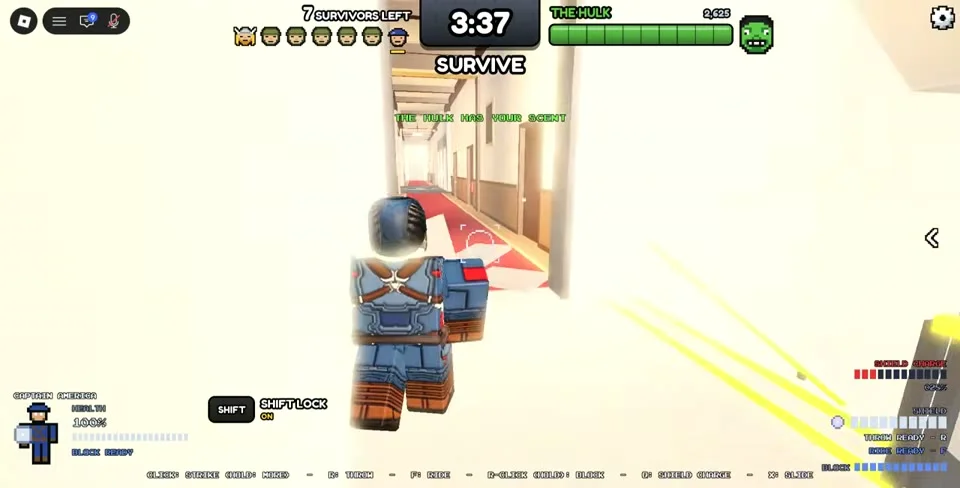
The Captain America recording displays Click for Strike, R for Throw, F for Ride, right-click hold for Block, Q for Shield Charge and X for Slide. Read the equipped action and cooldown before repeating an input.
These bindings were visible in October 20 footage. They should be checked against the current HUD after an update, especially if you use remapped controls.
On small screens, swipe the table to compare all columns.
| Role | Visible PC actions | Recorded scope |
|---|---|---|
| Captain America | Click Strike; R Throw; F Ride; right-click hold Block; Q Shield Charge; X Slide | October 20 footage |
| Hulk | Click Smash; Space Leap; Ctrl Run; Q Clap; F Sniff | October 20 Hulk action bar |
| Sue Storm | Click Bolts; right-click Force Field; R Veil; F Vortex; Q Boundary; X Slide; stay still Vanish | October 27 footage |
§Mobile: use the named action buttons#
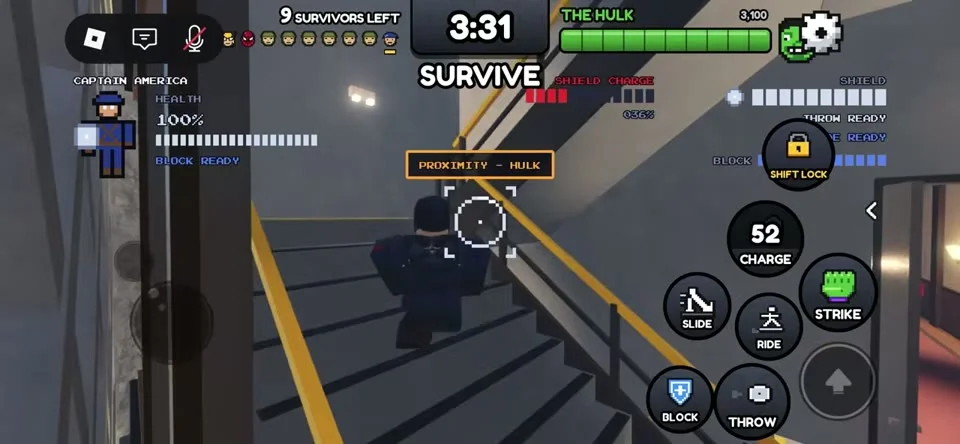
The mobile Captain America screen shows separate Strike, Block, Throw, Ride, Charge, Slide and Shift Lock controls. The movement stick sits on the left and actions on the right. A number inside a button indicates a displayed cooldown state.
Learn one action while keeping the camera and movement usable. If the action has a cooldown number, stop repeatedly tapping and move to a safer route while checking the meter.
§Controller and settings#
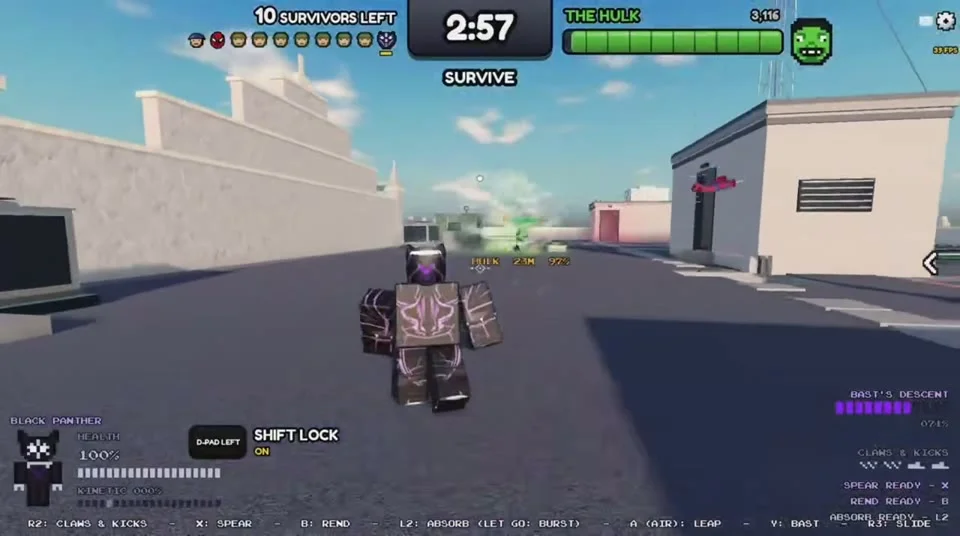
The Black Panther controller demonstration displays R2 for Claws and Kicks, X for Spear, circle for Rend and L2 held for Block. Treat these as labels from that role’s recorded controller setup.
The official announcement adds Controller Shift Lock and Auto Run settings, plus a mobile layout rearrangement. Check the current Settings menu for those controls; a full Xbox mapping for every role has not been verified.
More details
1 sectionsRead the full background
§When a correctly pressed input cannot act#
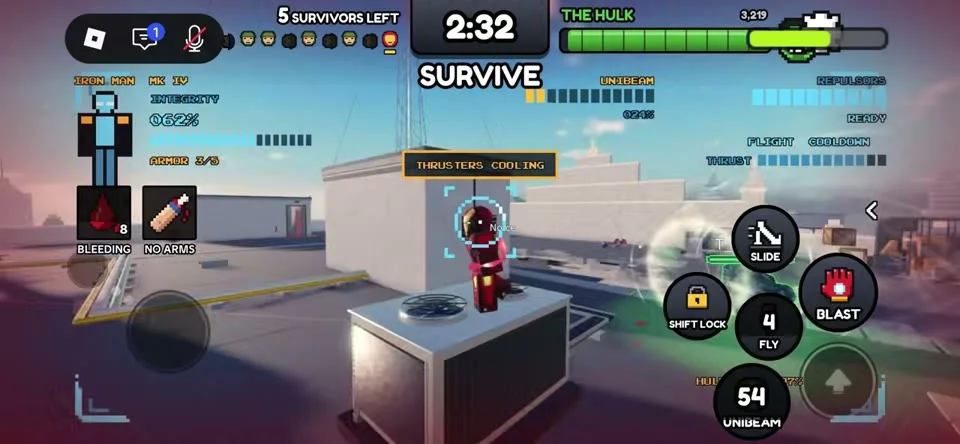
Iron Man’s mobile screen can show FLIGHT COOLDOWN and THRUSTERS COOLING while the Fly button counts down. That visible state explains why another tap may not start flight.
Check the action’s own meter and wait for the ready state before committing to a route that depends on it. Keep an ordinary doorway or lane available if flight is unavailable.
About this guide
Official announcements and dated player footage; current damage and purchase values are unverified.
- Official rules were reviewed on October 30, 2026. Screenshots show community recordings from October 17 to 27; current balance, offers and bindings may change.
- Tactical suggestions are editorial recommendations. Prices, drop rates and damage values are published only when tied to a dated visible screen.